Now on the App Store · Requires iOS 26+

Never late. Ever.

Prominent alarms before your calendar events — not silent notifications you swipe away. NeverLate uses Apple’s alarm system, so it sounds even when your iPhone is locked or silenced.

Download on the App Store
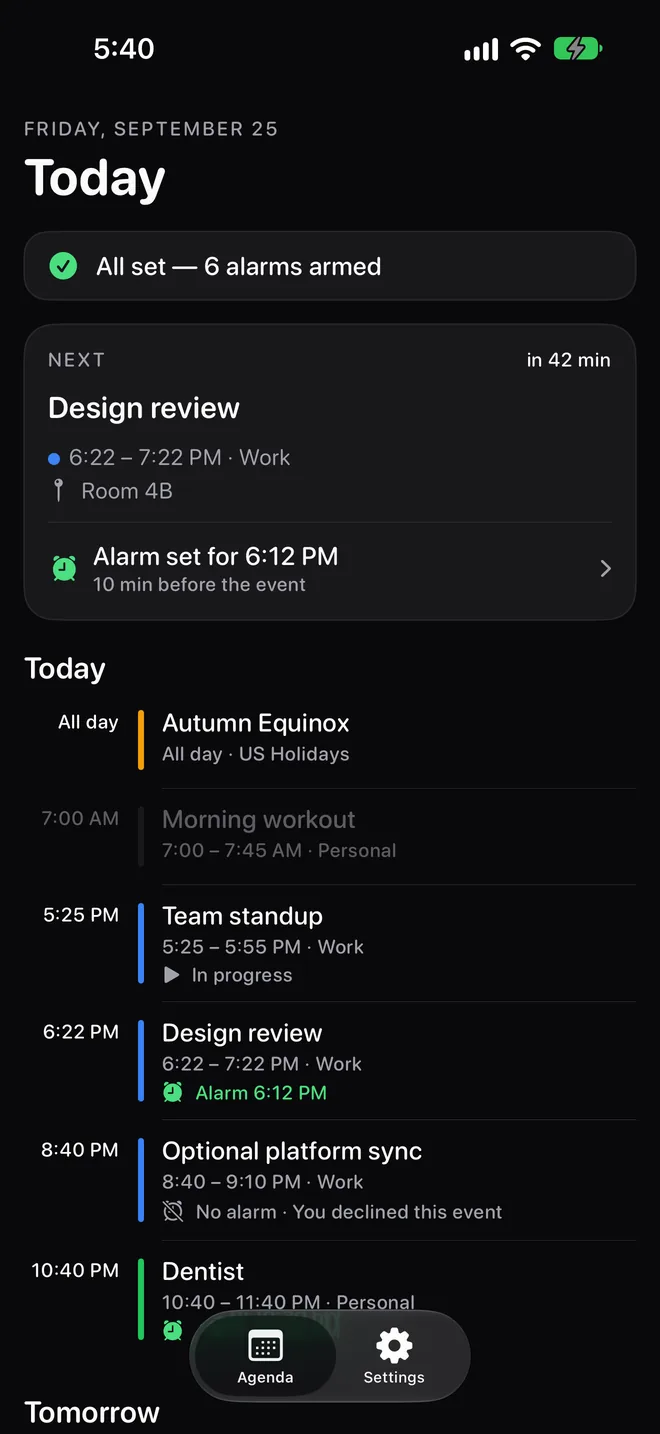
NeverLate agenda: All set, 6 alarms armed, with the next event and its alarm time
You're stuck in a meeting that's running long. You've lost track of time. Your next one starts in two minutes.

A silent notification is easy to miss. A real alarm isn’t. NeverLate gives you the nudge you need to wrap things up and move on.

⏰
Sprint Planning starts in 5 minutes
Conference Room B
Stop  ·  Open Event
Everything you need. Nothing you don't.
NeverLate is deliberately simple. Connect your calendars, pick a sound, and forget about it.
🔔

Prominent Alarms

Built on Apple’s AlarmKit. They sound even when your iPhone is locked or silenced — like a morning alarm.

📅

All Your Calendars

Every calendar on your iPhone, plus an optional direct Google Calendar connection, in one clean agenda.

⏱

Adjustable Lead Time

Get alerted from right at the start to an hour before. Set a default or customize any single event.

🎵

Custom Sounds

Choose from four alarm tones — gentle or urgent, whatever gets you moving.

📱

Home Screen Widget

See your next event and when its alarm will sound, without opening the app.

🌙

Light & Dark Mode

Follows your system preference or set it manually. Looks great either way.

Local-first: no accounts, no servers, no analytics in the app. Your events stay on your iPhone. Read the privacy policy.

See it in action.
Real screens from the app. Nothing staged, nothing mocked.
NeverLate agenda in dark mode

Your day, armed.

Every event shows whether an alarm is set, and exactly when it will sound.

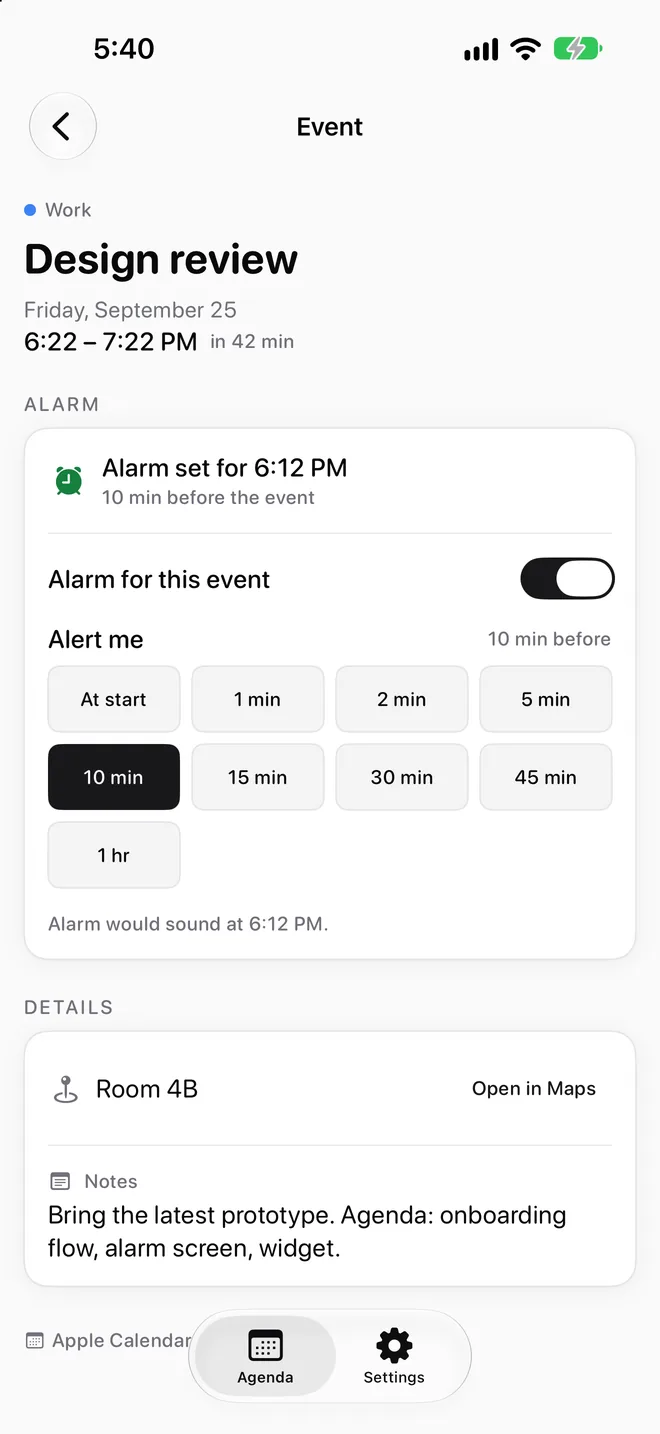
Event detail with the alarm card and lead-time presets

Adjust any event.

Pick a lead time per event and see the alarm time before you commit.

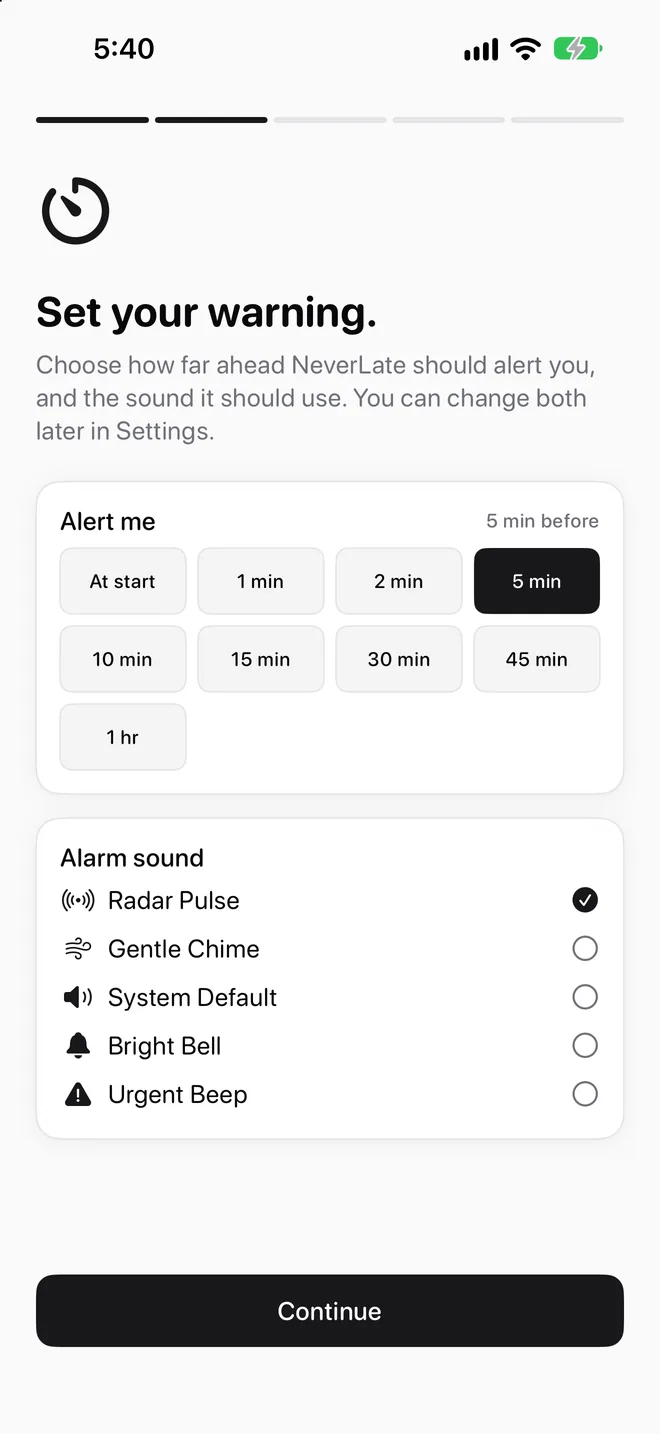
Onboarding step for choosing lead time and alarm sound

Your warning, your sound.

Choose how far ahead to be alerted, and which sound does the job.

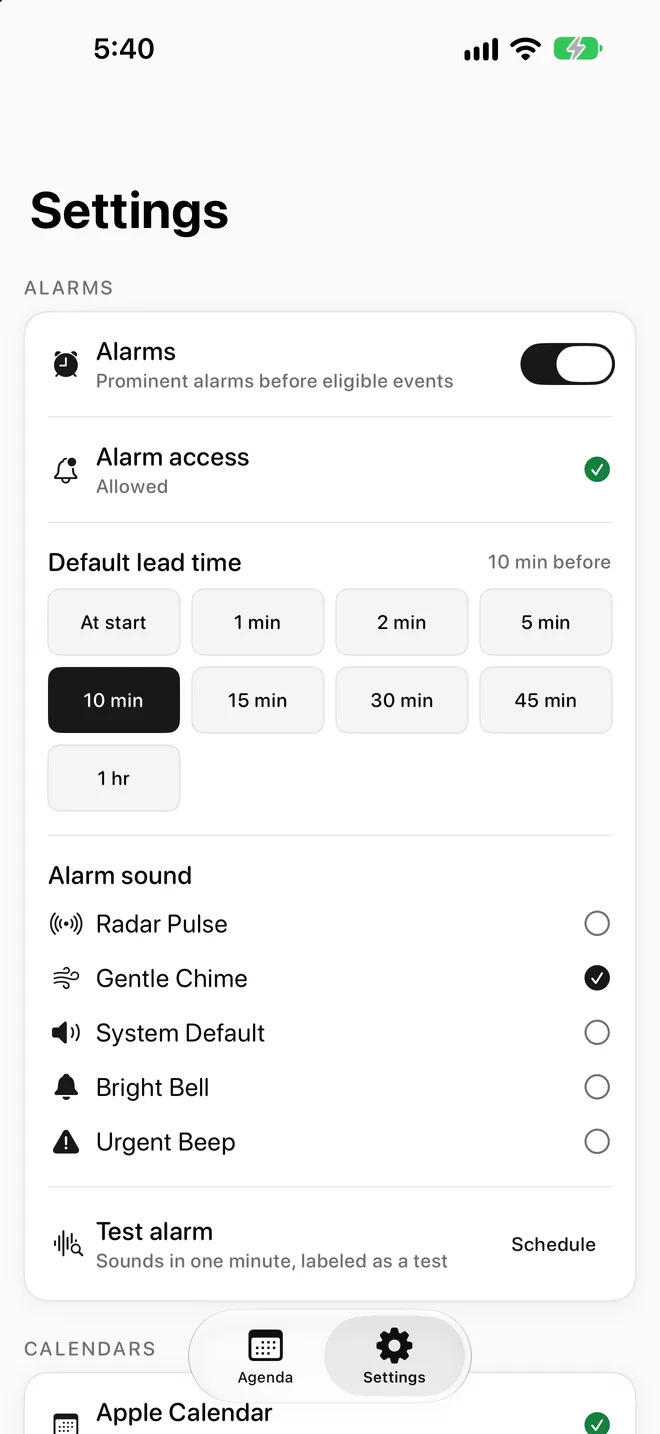
Settings with alarm access, default lead time, sounds, and test alarm

On your terms.

A default lead time, five sounds, and a test alarm so you know what to expect.

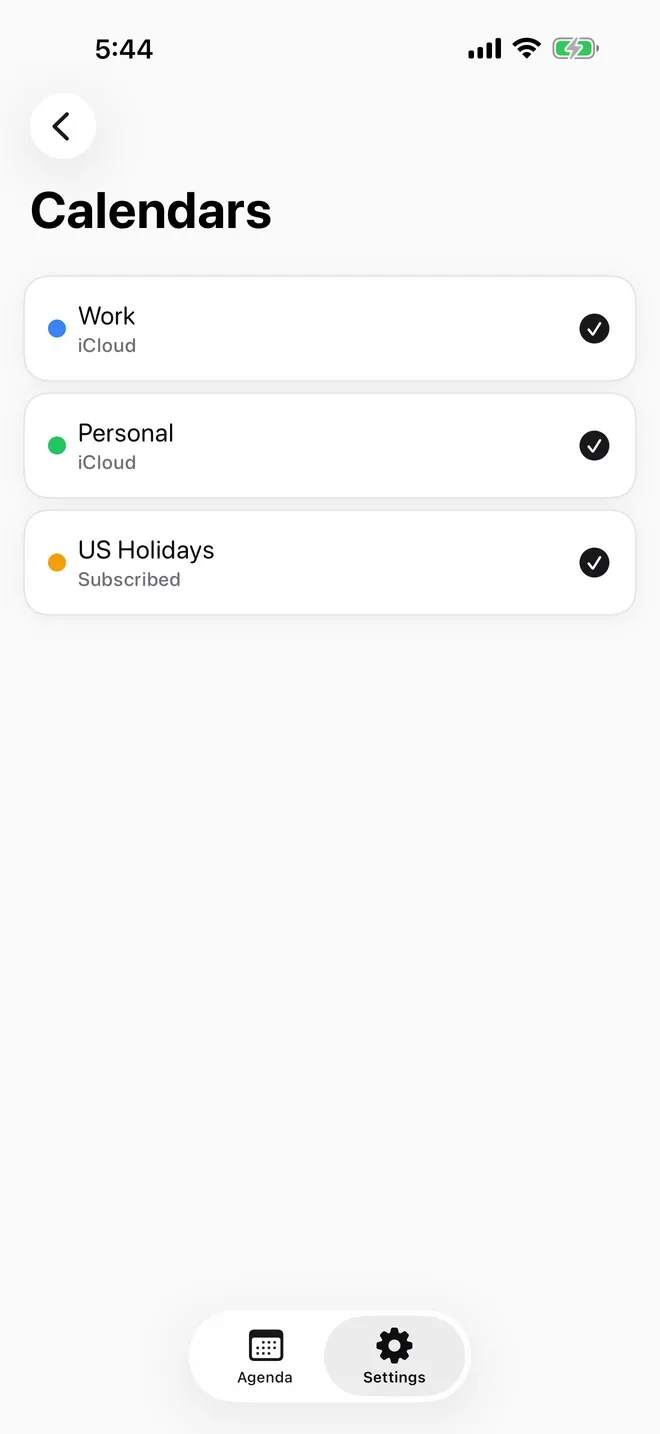
Choose Calendars screen listing Work, Personal, and US Holidays calendars

Every calendar you use.

Anything already in the Calendar app, plus an optional direct Google connection. Watch only the ones you choose.

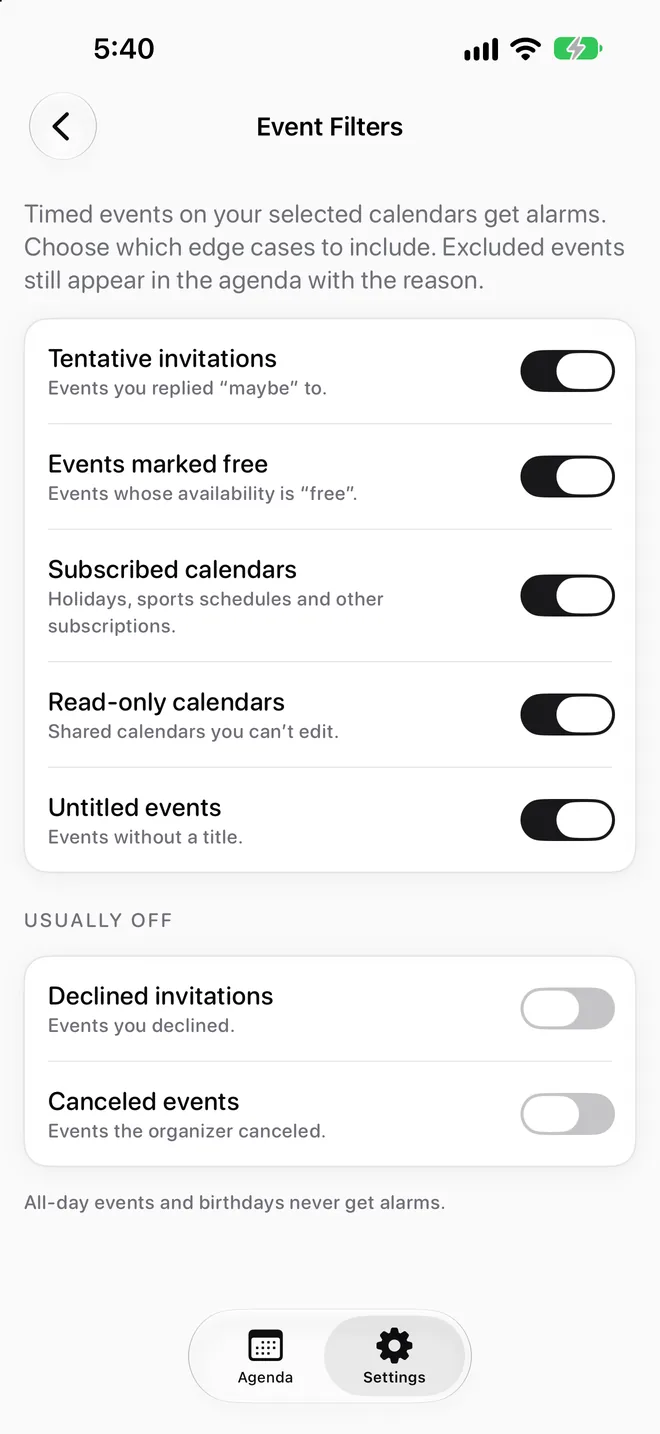
Event Filters screen with toggles for edge cases

Only the events that matter.

Skip declined invites, all-day events, and calendars you don’t follow.

Pick the sound that gets you moving.
Preview and choose your alarm tone right in Settings. From a soft chime to an urgent beep.
🍃
Gentle Chime
Soft ascending notes
📡
Radar Pulse
Rhythmic pulsing tone
🔕
Bright Bell
Clear bell strike
⚠️
Urgent Beep
Quick repeating beeps
Stop being late.

Available now on the App Store. Requires iOS 26 or later on iPhone. Questions? Visit Support.

Download on the App Store